
One of the greatest fear travelers can have is losing their passport or other documents while traveling. Losing your travel documents can be pretty serious, but it doesn’t have to be the end of your trip. Here are some suggestions to help you continue your trip with as little interruption as possible.
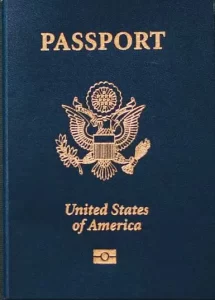 What do you mean by “documentation?”
When I am talking about documents I mean things like:
- Your birth certificate,
- Driver’s license,
- Your passport,
- Visas,
- Shot records,
- Work authorizations.
Not all of these apply to everyone or where you are planning on going, but at least one or two will apply to you.
What do you mean by “access?”
Access to documents will mean different things to different people – and part of this is generational. Old school access would be having photocopies of your important documents that you carry with you. If you are going this route, make sure that the copies are readable and up to date. For documents that need to be certified (often your birth certificate), a photocopy probably wouldn’t be acceptable, but you might be able to get the process started with un-official documents. You might put those copies in an envelope and stash them in your carry-ons or suitcase.
Where you put them is a matter of personal preference. For example, I don’t travel without my laptop that I keep in a backpack. That’s where I would keep the backup document envelope. My backpack is never out of my sight. If I keep the documents in my suitcase, I would probably worry about something happening to my suitcase either at TSA or with the baggage handlers. (I have seen suitcases pop open on the asphalt when baggage handlers were loading them.)
Most newer hotels, resorts, and cruise ships have safes in each room, so when I get to my destination all of my documents go into the room safe until I leave. That’s also where I put my wallet, and electronics when we leave our room.
New school access means you save a digital copy somewhere that you will have access to while traveling. That may mean the copies/photographs have been saved to you OneDrive, Google Drive, Dropbox, your phone, or some other digital storage device. The idea behind this and the process are similar to old school – you’re just saving it to a different location.
Both methods have the positives and negatives. Photocopies mean you don’t have to have Internet access or your phone to provide the documentation to get a new/replacement passport. However, photocopies can be less secure and more easily stolen. Digital copies require access to at least your phone and perhaps the Internet, but this method is more secure.
What to do if you do lose your documentation
This step is a little harder to be specific about. You will need to contact the closest office of the issuing agency to have your documents replace. It would be a good idea to have done some research before you travel to find that information when you are less stressed about what is happening. If you are working with a travel agent they can probably help you out with this! A US embassy or consulate is probably your first call for major documents like passports. They could also advise you where to call for visas, work authorizations, etc. By the way, if you are on a cruise ship, your way to get off and back on the ship is usually some kind of medallion or ID card. If you lose that while you are on a tour, you will need some proof of who you are to get back on the ship. Passport or drivers license is best choice but I have seen people use a credit card. It took longer with more hoops to jump, but they were able to get back onto the ship.
Bottom line
The choice of how you carry backup documentation with you is totally yours. The wise traveler will opt for one or the other because lost documents while traveling could ruin your trip. Remember that planning ahead is crucial to have a more enjoyable trip.
And yes, I know some of you out there will do both just to be sure!